How to install Dalamud plugins
Before you can install plugins
These guides use XIVLauncher, which loads Dalamud — the framework that runs in-game plugins.
- Install XIVLauncher.
Visit the official XIVLauncher site and follow the download and installation instructions for your platform.
- Launch Final Fantasy XIV through XIVLauncher.
Open XIVLauncher, make sure the in-game addon (Dalamud) is enabled in its settings, then use XIVLauncher to launch the game.
- Open the Dalamud Plugin Installer.
Once you are in game and Dalamud has loaded, type
/xlpluginsin chat. - Choose your plugin.
Many plugins can be found and installed directly from the built-in directory. If your plugin needs an additional repository, follow the steps below first.
Having problems? For launcher errors or Dalamud not appearing, see XIVLauncher troubleshooting ↗.
Install plugins from an additional repository
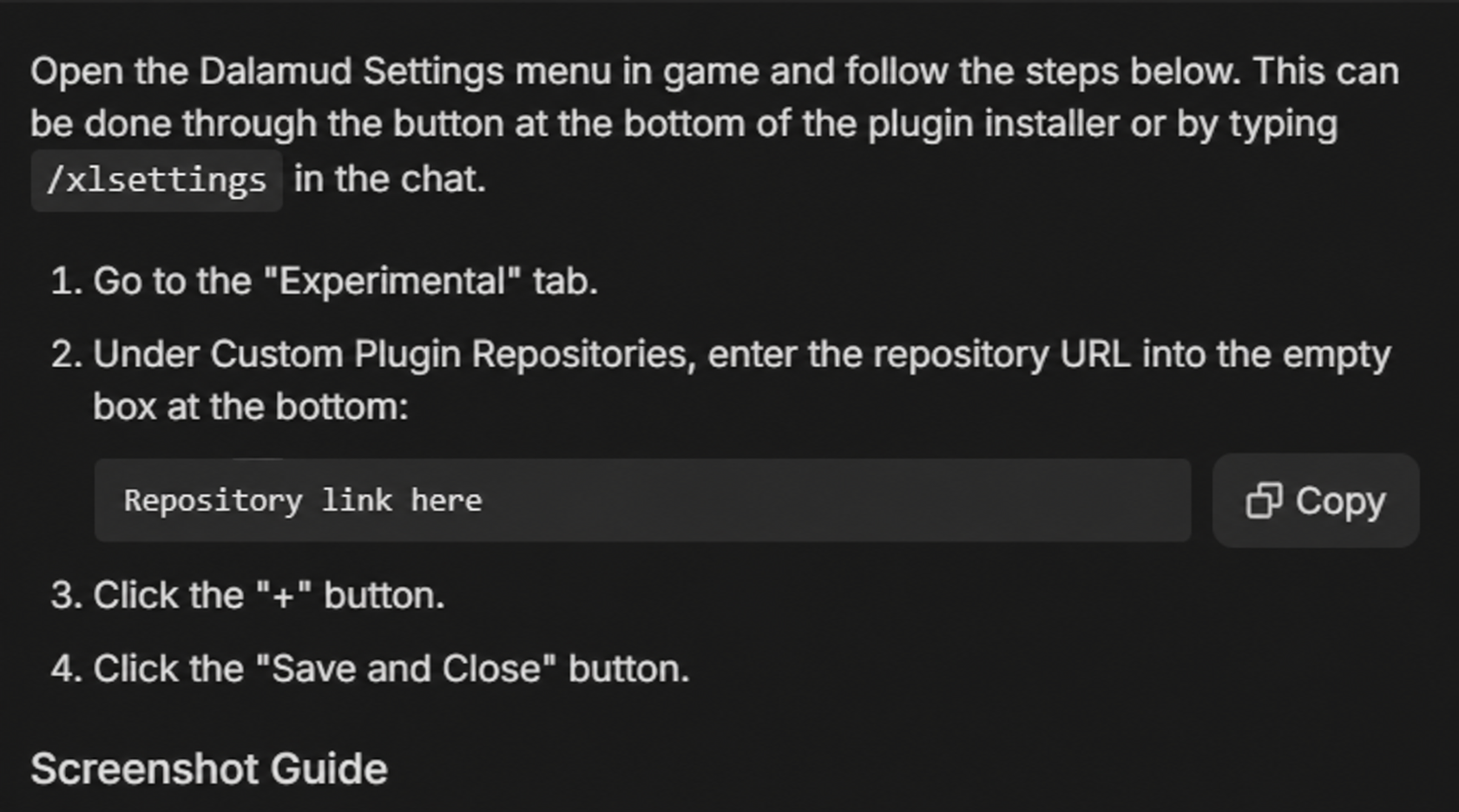
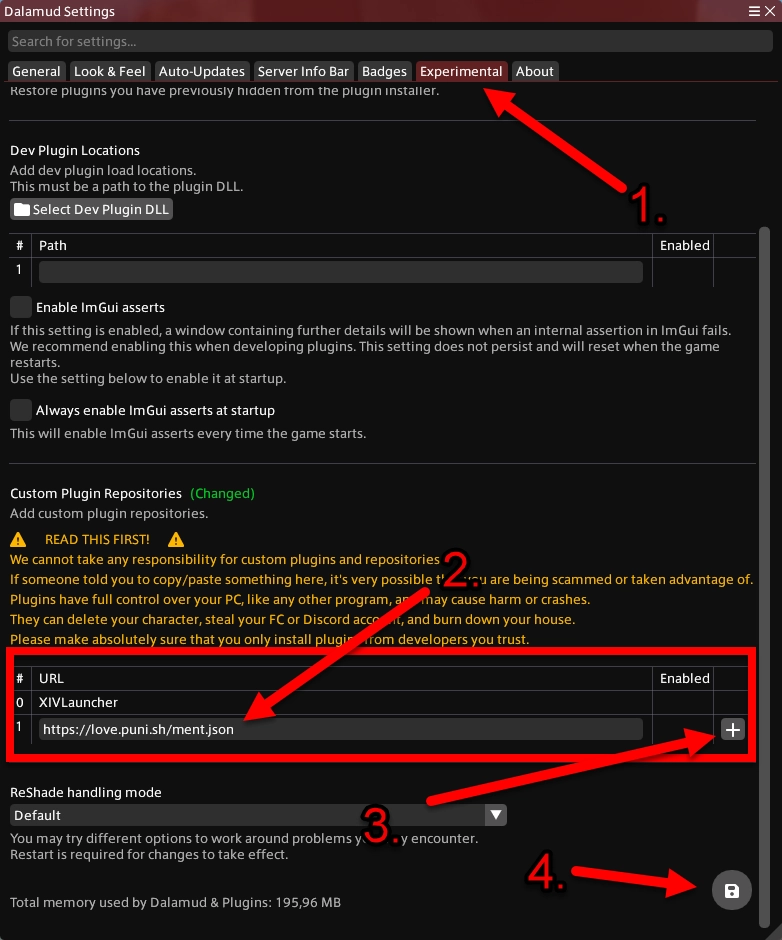
- Open Dalamud settings with
/xlsettings. - Select the Experimental tab.
- Paste the publisher’s link under Custom Plugin Repositories.
- Click +, ensure it is enabled, then choose Save and Close.
- Open
/xlplugins, search for the plugin and install it.